Listing marketing
California AB 723 and commercial listings: when edited or AI-altered photos need a disclosure
Since January 1, 2026, a California real estate licensee who uses a digitally altered image to market property for sale must label the image where it appears and link to the unaltered original. The rule, Business and Professions Code section 10140.8, covers edits that add, remove or change elements of the property, such as virtual staging or removing a utility pole, and excludes routine exposure, color and cropping adjustments. For commercial lease marketing the answer is less settled, because the Real Estate Law counts a lease longer than one year as a sale and a bill now awaiting the Governor’s decision would change that.
This guide reads the statute against the images commercial listings use in offering memorandums, flyers, property websites and portal listings. It is not legal advice. Where the text leaves a question open we say so, and your brokerage’s counsel or the California Department of Real Estate should settle it for a specific listing.
What AB 723 requires
AB 723 (Pellerin) was signed on October 10, 2025 as Chapter 497 of the Statutes of 2025 and added section 10140.8 to the Business and Professions Code, effective January 1, 2026. The working parts of the chaptered bill are these:
- Who it applies to. “A real estate broker or salesperson, or person acting on their behalf.” A photographer, designer or marketing coordinator preparing listing material for a licensee falls within the second half of that phrase.
- What it applies to. A digitally altered image included “in an advertisement or other promotional material for the sale of real property.” Nothing limits it to residential property, so an investment-sale OM for a shopping center is covered.
- The disclosure. A “reasonably conspicuous” statement “on or adjacent to the image” that it has been altered, with a link, URL or QR code to a publicly accessible website that “includes, and clearly identifies, the original, unaltered image,” and language saying the originals can be accessed there.
- Websites you control. When the material is posted on a website the licensee or their agent controls, the posting must include the unaltered version, either on the page or through a link to a public page that clearly identifies it.
The consequences come from the rest of the Real Estate Law. A willful violation of the Real Estate Law is a misdemeanor under section 10185, punishable by a fine of up to $10,000, up to six months in county jail, or both, and the Real Estate Commissioner may suspend or revoke a license for willfully disregarding it under section 10177(d).
The DRE’s Winter 2026 Real Estate Bulletin summarizes the law, and its article on AI in California real estate adds a warning for anyone using generative tools: “Failure to review AI-generated images for compliance may result in violations even if the alteration was unintentional.” If an AI upscaler or “enhance” filter repaves a parking lot or removes a sign without anyone asking it to, the licensee who publishes the image is still responsible for disclosing the change.
Does AB 723 apply to commercial lease listings?
The text of section 10140.8 says “sale” and never mentions leasing. That does not end the question, because the Real Estate Law has its own definition. Section 10018.10 defines “sell,” “sale” or “sold” to include “a leasehold exceeding one year’s duration.” Commercial leases commonly run for several years, so a flyer for a five-year retail lease may fall within the current rule.
The Legislative Counsel’s Digest for AB 2025, the 2026 follow-up bill by the same author, describes existing law the same way, noting that the definition “includes, among other things, a leasehold exceeding one year’s duration.” The Contra Costa Association of REALTORS® AB 723 FAQ says the law applies to leases “only if the lease exceeds one year’s duration.” We found no DRE guidance or court decision that addresses the point directly.
AB 2025 would change the arrangement. As enrolled on August 27, 2026, it adds a subdivision to section 10140.8 saying the section “does not apply to an advertisement or other promotional material for a leasehold exceeding one year’s duration,” and it adds a new Civil Code section 1940.11 covering digitally altered images in advertising “for rental of real property.” The new section would apply to any person, including an owner marketing without a broker, and would cover images fully generated by AI. It would not require an unaltered original for an image or rendering that was never captured by a camera. The bill was presented to the Governor on August 31, 2026, and the Governor has until September 30 to act on it. If it is signed, it would ordinarily take effect on January 1, 2027.
Whether that new rental rule would reach commercial leases is another question for counsel. It would sit in the Civil Code chapter whose opening section, Civil Code 1940, speaks of persons who hire dwelling units, and the Assembly committee analysis calls the bill “the rental housing counterpart” to AB 723.
The practical position for a commercial listing broker in September 2026 is straightforward. Sale marketing is covered. Lease marketing for terms over a year is plausibly covered now, and the rules for it may move to a different code section next year. The cost of labeling an altered image and publishing the original is small, so we recommend treating commercial lease marketing as covered until your counsel tells you otherwise, and checking the status of AB 2025 after September 30.
Which commercial edits count as digitally altered
The statute defines a digitally altered image as one altered “through the use of photo editing software or artificial intelligence to add, remove, or change elements in the image.” It lists examples: fixtures, furniture, appliances, flooring, walls, paint color, hardscape, landscape, facade, floor plans, and elements outside of or visible from the property, “including, but not limited to, streetlights, utility poles, views through windows, and neighboring properties.”
It excludes images where “only lighting, sharpening, white balance, color correction, angle, straightening, cropping, exposure, or other common photo editing adjustments are made that do not change the representation of the real property.” That clause is the test for anything the list does not name: an edit that shows the property as it is on a good day is excluded, and an edit that shows it with something it lacks, or without something it has, is covered.
The table gives our reading of common commercial edits. Rows marked unsettled could reasonably be read either way, and we suggest disclosing them.
| Edit | Likely treatment under §10140.8 | Where the disclosure goes |
|---|---|---|
| Exposure, white balance, color correction, sharpening, straightening, cropping, blending bracketed exposures, removing sensor dust | Excluded, as long as the property is shown as it is | None required. Keep the camera originals on file. |
| Sky replacement | Unsettled. The sky is not listed, but a replaced sky changes what the photo shows. | Caption on or next to the image, with the link or QR code to the original |
| Day-to-dusk conversion with lit windows, signs or parking lights added | Unsettled. Lighting is excluded, but added light sources are added elements. | Caption and link, as above |
| Removing cars, people, trash bins, cones or construction fencing | Likely covered, since the text says “remove” elements | Caption and link |
| Removing utility poles, power lines, streetlights or neighboring signs | Covered. Streetlights, utility poles and neighboring properties are named. | Caption and link |
| Removing a former tenant’s window graphics or signage | Covered, as a change to the facade | Caption and link |
| Greening landscaping, repaving or restriping a parking lot, repainting a facade | Covered. Landscape, hardscape, facade and paint color are named. | Caption and link |
| Virtual staging or tenant visualization inside a real photograph of the space | Covered. Furniture and fixtures are named. | Caption and link |
| Proposed storefront signage or pylon panels drawn onto a photograph | Covered, as a change to the facade or site | Caption and link |
| Fully AI-generated images or 3D renderings not based on a photograph | Unsettled under the current text, which is written around an image that has been altered | Label as a rendering on the image in every case |
| Aerials with a property outline, labels, pad locations or drive-time rings | Unsettled. We read these as annotations, but they do add elements to the image. | Caption such as “Annotated aerial; boundaries approximate,” with the original available |
| Conceptual site plans or floor plans showing a proposed layout | Unsettled. Floor plans are named as elements, and a concept plan shows something that does not exist yet. | Label “Conceptual; not a survey” on the plan |
The definition covers images created “by or at the direction of” the licensee. When an owner or a previous listing team supplies photos, ask what was changed before you use them, because an undisclosed edit in someone else’s photo still ends up in your material.
How to disclose in an OM, flyer or leasing brochure
Print and PDF material cannot show the original next to every image, so the statute’s link, URL or QR code does the work. Put a short caption directly under or on each altered image, and put the URL and a QR code on the same page. A disclosure collected in a back-page legal notice is hard to square with the requirement that it sit “on or adjacent to the image.”
A caption needs three things: the fact that the image is altered, preferably what was changed, and where the original is. The captions below are illustrative and use a placeholder address.
- “Digitally altered: former tenant’s window graphics removed. View the unaltered original at example.com/originals, photo 4, or scan the code.”
- “Virtually staged: furniture and fixtures added to show a possible café layout. The unaltered photo is at example.com/originals, photo 7.”
- “Digitally altered: sky replaced and parking lot lights added. Unaltered original: example.com/originals, photo 1.”
Set captions at a size someone can read in print, and number altered images to match the originals page so a reader who scans the code lands on the right photo. Print the typed URL beside every QR code, because some readers will not scan and some will photocopy the page. A code routed through a third-party redirect service can stop working when a subscription lapses; QR codes on leasing signage covers testing and choosing an address you control.
How to disclose on a property website
A property website is a site the listing team controls, so the stricter paragraph applies: the posting must include the unaltered version or link to a public page that clearly identifies it. On a single-property site the simplest compliant pattern is to show the original beside the altered image, or as a before-and-after toggle, with a caption on the altered version. For galleries with many edited images, a caption on each one plus a clear link to a dedicated originals page also satisfies the text.
The same rules apply outside the gallery, including the hero image, background images and the social sharing image; a hero photograph with a replaced sky is still an altered image. Our guides to single-property websites and commercial real estate photography cover the rest of the site and the shoot that produces the originals.
LoopNet, Crexi and other listing sites
Portal listings are advertisements, so an altered image uploaded to LoopNet or Crexi needs its disclosure. LoopNet’s help center describes a “Legend” box for a short description of each photo; put a short disclosure and the originals URL there, and check each other site you use for a comparable caption field. Listings are often syndicated or copied to sites the broker does not control, as the California Association of REALTORS® pointed out during the bill’s review, so also upload the unaltered original immediately after the altered one and mention the originals page in the listing description.
The statute does not say whether a portal listing is a website “over which” the broker has control, although the association raised third-party sites in the Senate Judiciary Committee analysis. Uploading the original next to the altered image covers either reading. Our guide to LoopNet and Crexi listings covers the rest of the listing, and we also prepare portal listings as a service.
Building an unaltered originals page
Most listings with altered images will need an originals page: a public web page at an address the listing team controls, with each original clearly identified. A useful one has these features:
- One page per property, at a short address such as the property site followed by /originals.
- Each original numbered and titled to match the altered version, with a thumbnail of the altered image beside it and a one-line note of what was changed.
- No login, email form or confidentiality agreement in front of it, because the statute requires the page to be publicly accessible.
- A date on the page, and the page kept live for as long as any copy of the flyer, OM or listing may still circulate.
Confidential sale marketing needs care, because an OM released under a confidentiality agreement can contain altered photographs while the linked originals must be public. An originals page showing only the photographs, without the property name or financials, is one approach to discuss with counsel for the specific deal.
How Endcap labels retouched and generated imagery
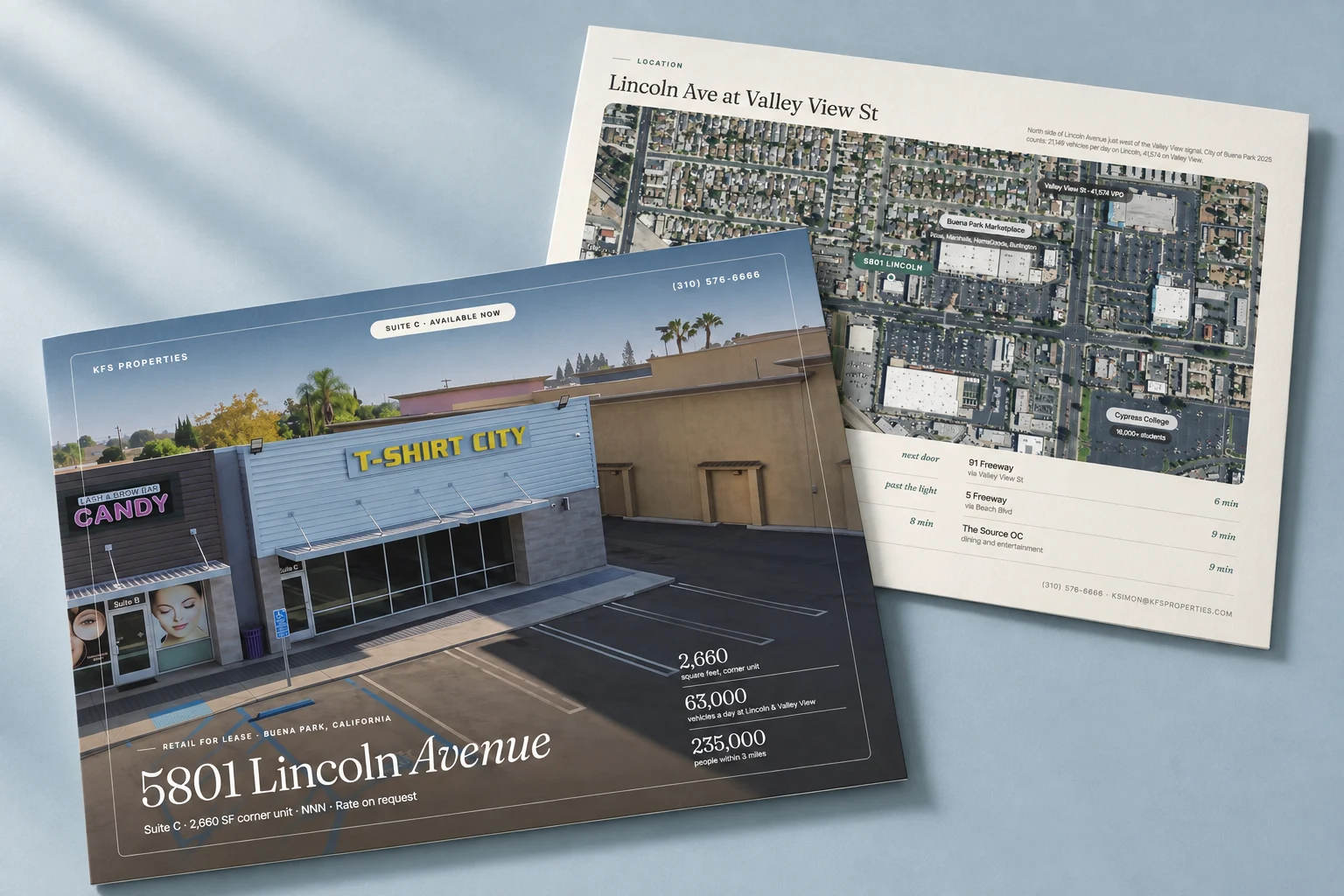
Endcap retouches listing photography and produces AI-assisted visualization, and we label both in our own published work. On the 5801 Lincoln project page, the storefront image of Suite C, a 2,660 square foot corner suite in Buena Park, is captioned “Retouched photograph; window graphics removed,” and the property film is labeled as including AI-assisted motion and relighting.
Those labels follow the same rules we set out in the honesty section of our guide to commercial virtual staging. A case study is not a listing advertisement, so for a covered listing the caption would also carry the link to the unaltered original. The extra line of type is a small cost next to a prospect discovering an unlabeled edit on a tour and doubting the rest of the package.
A checklist before the material goes out
- Get a list of changes for each edited image from the photographer or retoucher, and keep the camera originals.
- Sort each image using the table above, and caption every covered or unsettled one with what changed and where the original is.
- Publish the originals page before release, and test every link and QR code from a phone.
- On websites you control and on portals, show or upload the original next to the altered image.
- Label renderings, concept plans and annotated aerials as what they are.
- For lease marketing, confirm the approach with counsel and check the outcome of AB 2025 after September 30, 2026.
If you want the photography, retouching and the disclosure pages produced together, that work is part of our commercial real estate photography and offering memorandum and flyer services.